
I spend a lot of time working with AI agents, and there are always a million little things to adjust. A skill stops working. An agent keeps reading the same file. One session costs five times as much as another, and it's never obvious why.
My job is to make software, not to constantly mess with my harness or figure out which skills work and which don’t. Those are things which get in the way of doing my job, and I’d rather not think about them. That was one of the main things we had in mind as we built Faros Desktop.
On the face of it, Faros Desktop looks like yet another spend tracking tool, but we're trying to do something different. I use it to understand what my agents are doing and make them work better, without changing how I work.
Let's talk a little bit more about how we got here.
Tracking all your work
When you have agents running across different tools and sessions, it can be hard to keep track of what each one is doing or find work you want to come back to. We wanted a way to make sense of all that activity without asking people to organize it themselves.
The breakthrough came when we started looking at the local models on our laptops. Every Mac now ships with the Apple Foundation Model, and it’s a pretty capable little model. We thought, Why not use it to summarize these sessions? Session files sometimes have titles and sometimes don't, and you usually want to know which one was which. The context window was too small to process most sessions in one go, so we broke them into chunks, summarized those, and built up to a full session summary.
We put together a quick prototype one afternoon that showed those summaries in a grid, updating in real time as your agents ran. It looked really cool, but it was also useful. You could see what the agent was doing, or what it thought it was doing, which might not match what you asked it to do. That resonated with people, and it snowballed from there.
As we broke these sessions into chunks, we noticed that some people use short sessions for a single task, but many work in longer sessions with a lot of back and forth. We could segment those sessions into their constituent parts and start assigning meaning to each one. Once we had the summaries, we started asking whether we could classify the activity. Were you debugging, implementing, reviewing? It turned out we could.
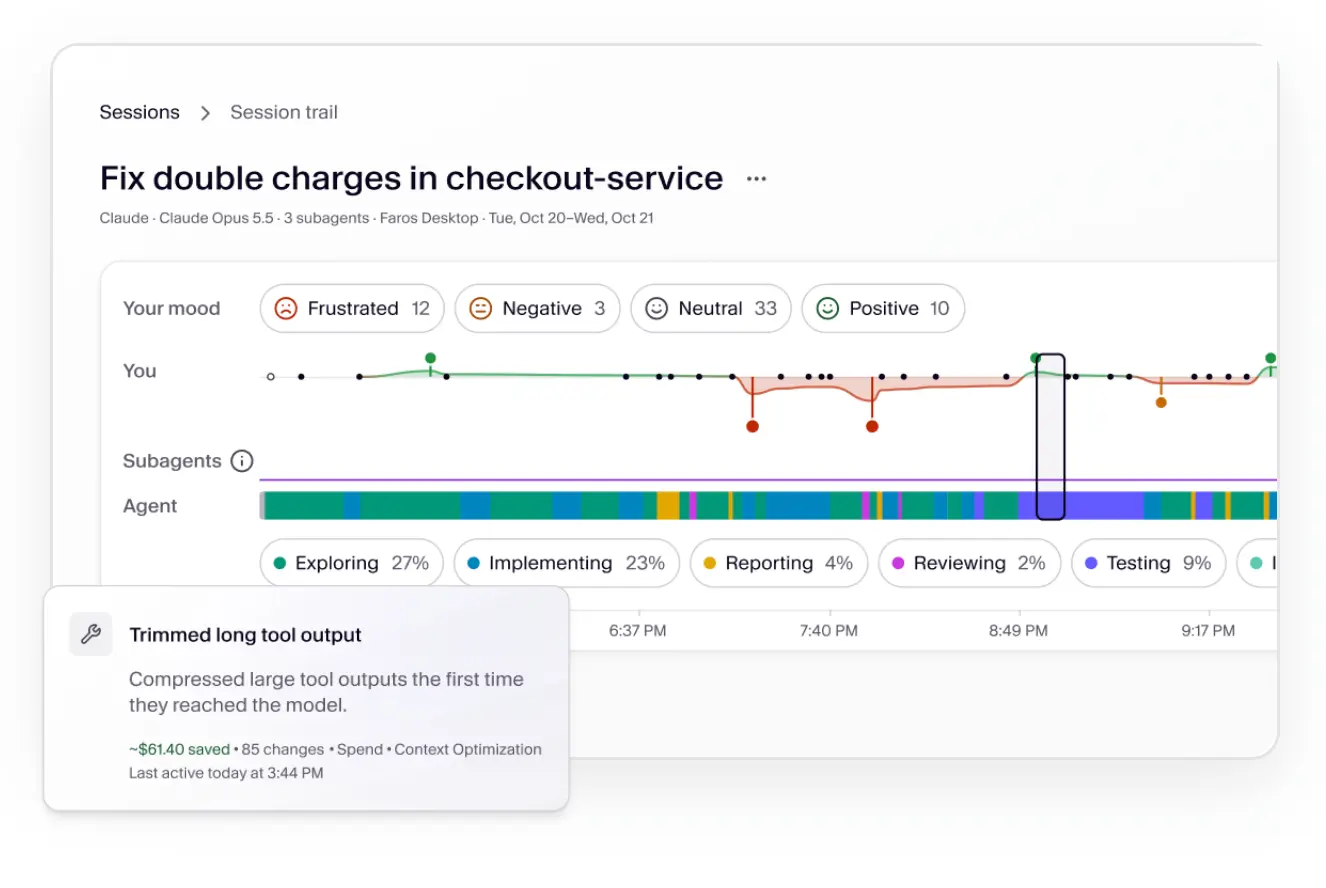
Our designer took those low-level classifications and laid them out on a timeline, creating what we now call the session trail. We also included other information we’d started collecting, like sentiment analysis, which I’d found useful in previous harnesses I’d built.
We put the transcript below it, so you could pick a chunk classified as implementing and jump to that part of the transcript to see what happened. People really engaged with that view and started wandering around.
Extending your quota
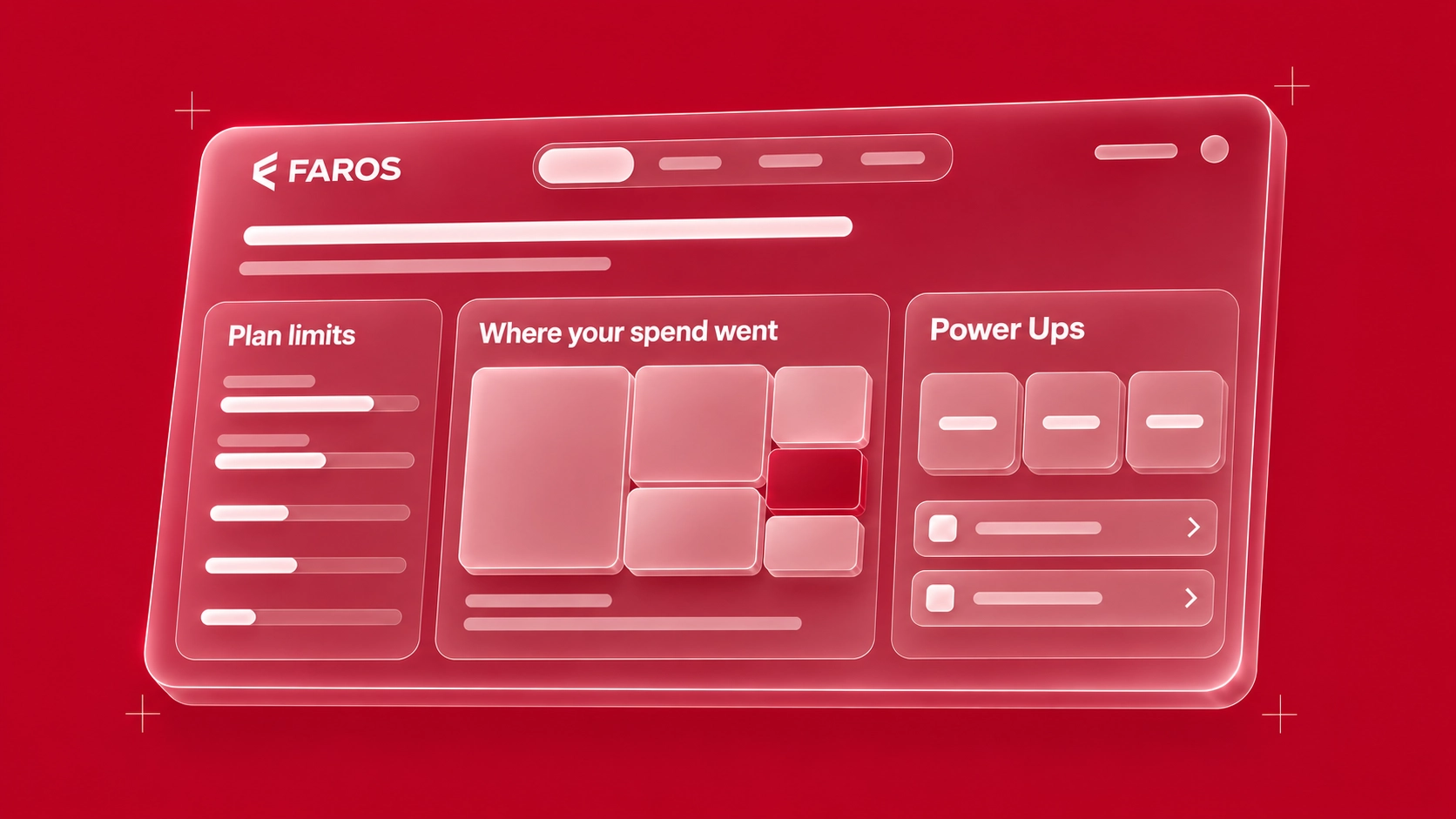
That visibility also gave us a way to understand spend. Today, there are lots of tools that just show spend. We highlight your token spend, too. But if you’re using full harnesses and you’re heads down in work, spend is often something you’re not aware of in the moment. We tried to lift it up and make it more visible.
But once you can see it, you quickly get to the question of why it's that number. I spent $100 today and $50 yesterday. What's the difference between the two days that accounts for that $50?
You should be able to answer that question with the treasure trove of information on your laptop. Your session logs capture not only what you’re doing, but how you do it and what you’re thinking at the time. That’s often far more useful than any of the outputs you might see. With the sessions broken down, we could start connecting that information to what the work cost.
Attributing cost to the work
All of this led to another thought: since we’re looking at cost, and we now have this segmentation of the session, we can start to answer why one thing costs more than another. That’s what people want to know, right?
We started expanding that analysis to pull out Artifacts. Say you created a PR. Creating the PR itself probably didn't cost many tokens, but everything that led up to it, the work that went into that PR, we can start to attribute to the PR.
In a lot of systems, you'd need a session dedicated to a single PR to assign its cost, which means changing how you work. Working with small chunks lets us attribute that cost within a longer session.
We started doing this for Google Docs, Jira tickets, Linear tickets, and even files. That last one was interesting for me personally.
The cost of missing context
Early on, we used a Makefile to build the project. It's a complicated build with a couple of different languages, and I hadn't put any build instructions in the AGENTS.md file. When I ran the analysis on my own sessions, one of the first things that stood out was the Makefile. Its attributed spend was twice that of the next most expensive file in the system.
I thought, Oh, that’s weird. Why is that happening? That’s the other thing we can look at: not just which files account for the spend, but how. Is the agent reading the file, writing it, or both?
In this case, it was mostly reads. I pulled up those parts of the sessions and saw it was happening before every build. Because AGENTS.md didn’t explain how to build the project, the agent read the Makefile each time to figure it out. We were paying for the same discovery over and over.
Was it a huge amount of money? No, but multiply it by 100 people on a team or 1,000 people at a company, and it adds up. It's also an easy fix, so why wouldn't you make it? That's budget you could use for something else.
There are lots of small inefficiencies like that, and they're the bits and pieces that make one task cost four dollars instead of one. It's rarely one giant thing. Using the wrong model, for example, is relatively easy to spot. We can show you that, too, but the subtler issues are often more interesting. You can start with a cheaper model and move to a more expensive one if it's clearly not working, which is what I do. But the less obvious inefficiencies keep coming back, and you have to keep finding and fixing them.
Delivering better outcomes, faster
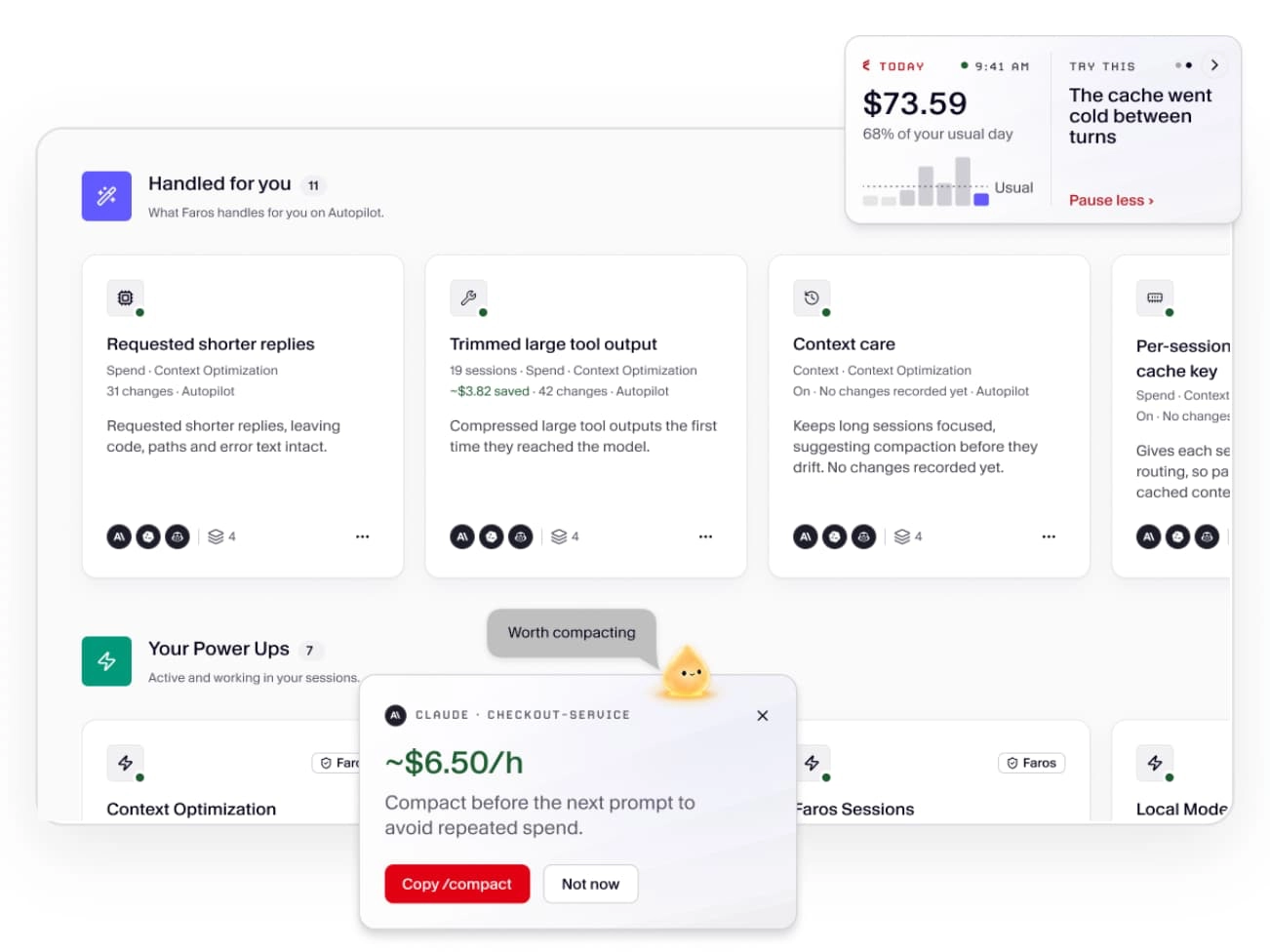
The point of automating those improvements is to get better results the next time you ask an agent to do the work. If a session took three attempts, what did the agent need to know at the start? Being able to identify that, and then codify it so we can automate it, is the core loop of the development process. That's where Faros Desktop's Power Ups came from.
As we started automating some of this, it became clear that skills, hooks, and MCPs are implementation details of what we’re actually trying to do. They’re supporting characters. We wanted something higher level that could automate parts of your workflow without imposing one on you.
I've personally written a few meta-harnesses, and they work quite well. But when other people started using them, I always ran into the same problem: what worked well for me wasn't necessarily the workflow they wanted to use. We tried to avoid that here and integrate in a "quieter" way.
Managing all of your agents
The first one we built out was the Sessions Power Up. It’s great that I can look at a session in the UI or show it to my friends. But if the agent can look at that session data too, we can close the loop: the agent can use previous sessions to improve its new ones.
It’s built on hooks, skills, and MCP, but users don’t need to worry about any of that. You just use your system, and the agent now knows it can look up session data, including sessions from other harnesses.
If you're like me and use lots of short sessions, this removes some management overhead. You have to remember to do handoffs, and yes, there are skills for that. But now the previous session is already available, and the agent can look it up and see what happened. If you hit a limit or decide another agent is better suited to the task, that history is available there too. You can move the work without reconstructing the context yourself.
That’s where the real power comes from: ambient, passive experiences. You stay in your workflow and never have to leave it, but you still get all the advantages of Faros Desktop.
Most of the time, I rely on the daily spend and session summaries that show up right in my harness, so I can keep track of things without going anywhere. It’s still experimental, but it’s the direction we want to keep building Faros Desktop toward, including opening up the background daemon’s API and supporting more of the places your agents run.
Where Faros Desktop goes from here
The idea behind Faros Desktop is that you shouldn’t have to become an expert in your agent’s setup to get good work out of it. I want to understand why something worked or didn’t, fix what I can, and then get back to making software. I don’t want maintaining that setup to become a project of its own.
And, since everyone works differently, the goal of Faros Desktop is to make your existing setup work better for you. As agents do more of the work, you should be able to give them access to what they need, learn from what happened, and stop making the same corrections over and over, all in the tools you already use.
So give it a try! Download Faros Desktop for free. I’d be interested to see what you find in your own sessions and where you think we should take this next.