

If you build with AI, you probably run several agents side by side, like Claude Code, Codex, and Cursor, and each has its own plan, limits, and reset clock. You know what you paid, but it’s much harder to know which projects used the most tokens, or why one task used up your limits halfway through the day. It’s also hard to know whether you’re using the right model for the job. Many routine tasks, such as writing tests, renaming variables, or summarizing a diff, can be done just as well by a smaller, cheaper model. Sending everything to the most powerful model uses up your budget faster and leaves less capacity for the complex work that needs it.
That gap grows as AI takes on more of your work. Your sessions are scattered across tools. Output is hard to trace back to the session that produced it. When you hit a limit midtask, you’re stuck between waiting for a reset and starting over somewhere else.
Today we’re launching Faros Desktop to close those gaps.
Meet Faros Desktop: A free app that works alongside the AI tools you already use
Faros Desktop is a free app that sits beside your AI agents and helps your AI spend go further. It helps you:
- Track all your work
- Extend your quota
- Deliver better outcomes, faster
- Manage all of your agents
Track all your work
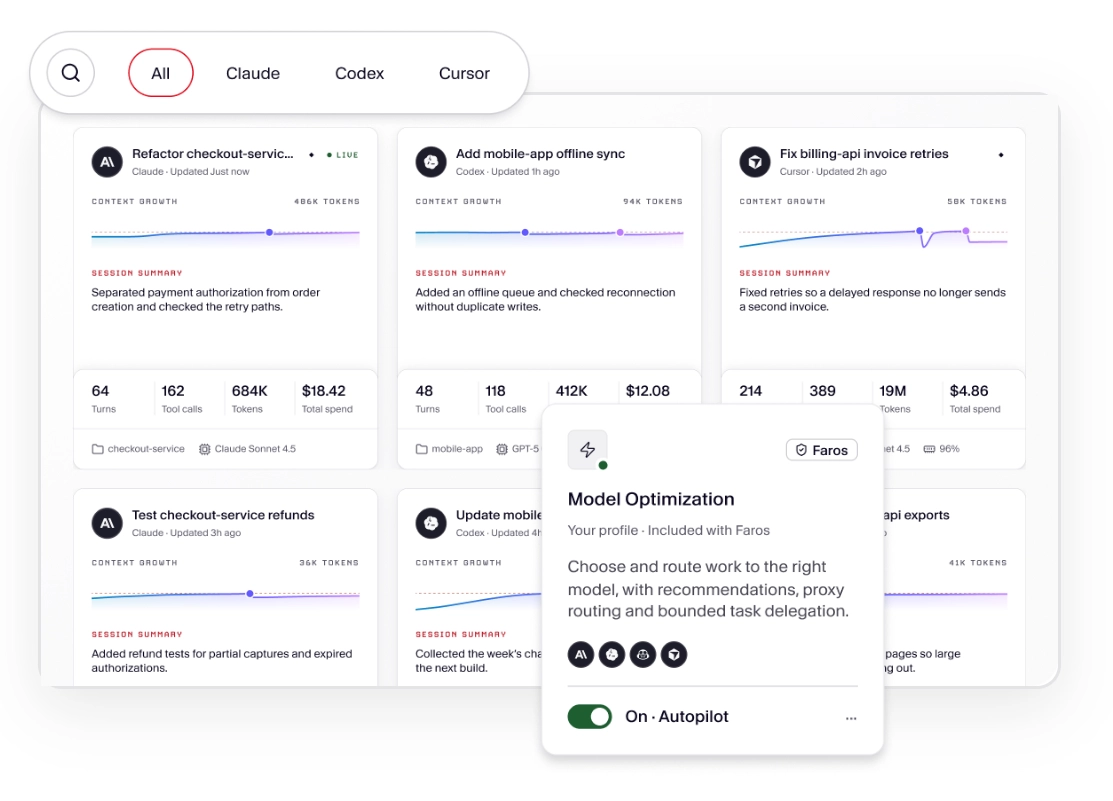
Manage your AI work across different agents from a single place. When your work is spread across several agents, it’s easy to lose track of what happened where. Desktop is agent-agnostic and brings your sessions into one searchable history, so you can review all your AI sessions over time across different agents in one place. Easily search through sessions to find your work, what each session spent, and more.
Desktop also connects the artifacts you produce to the exact sessions that produced them, making it easy to pick up yesterday’s work, explain how a change came about, or find the session that generated a file. The result: you stay on top of your tasks and output with ease, and juggle more tasks at once with confidence.
Extend your quota
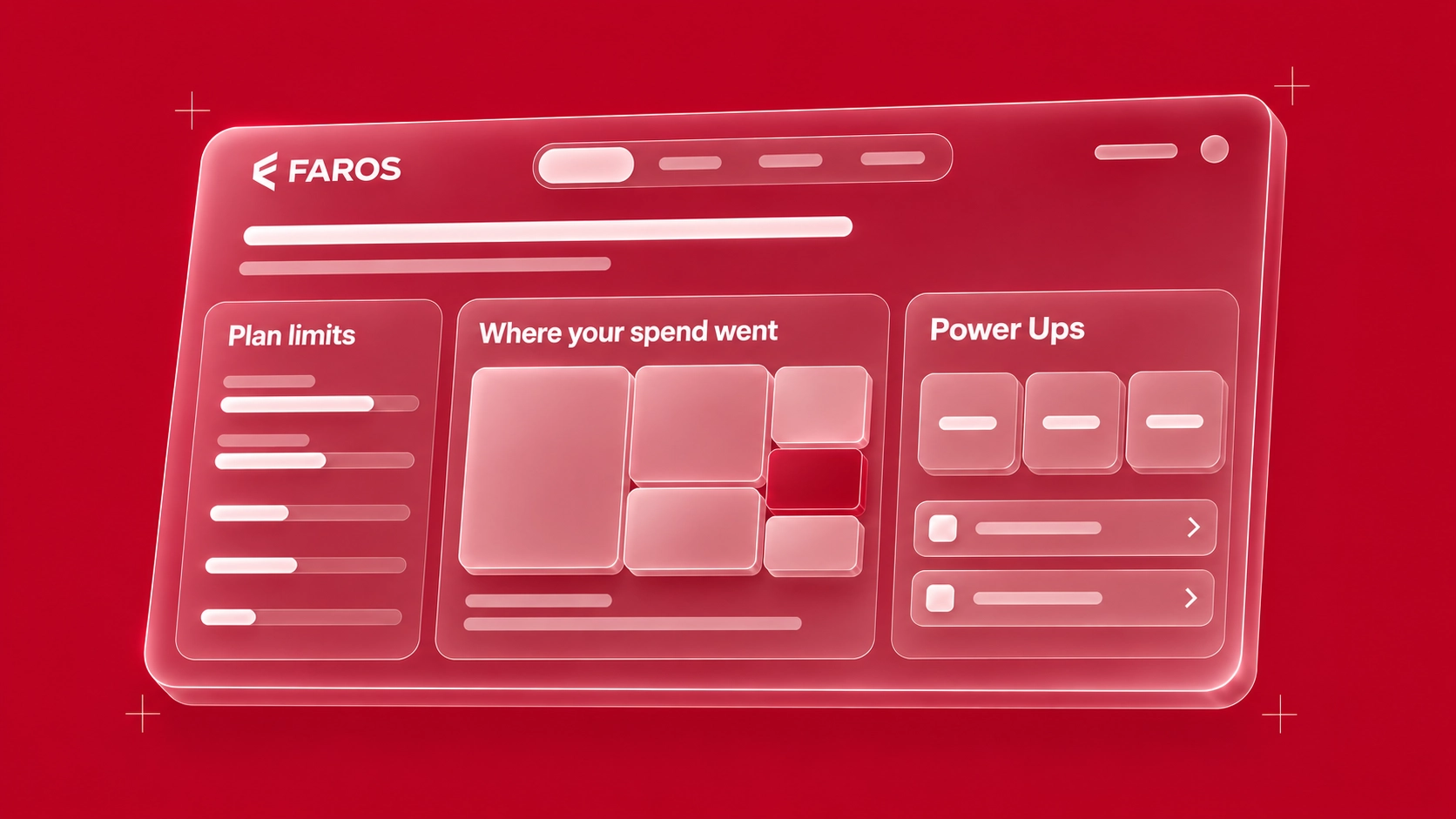
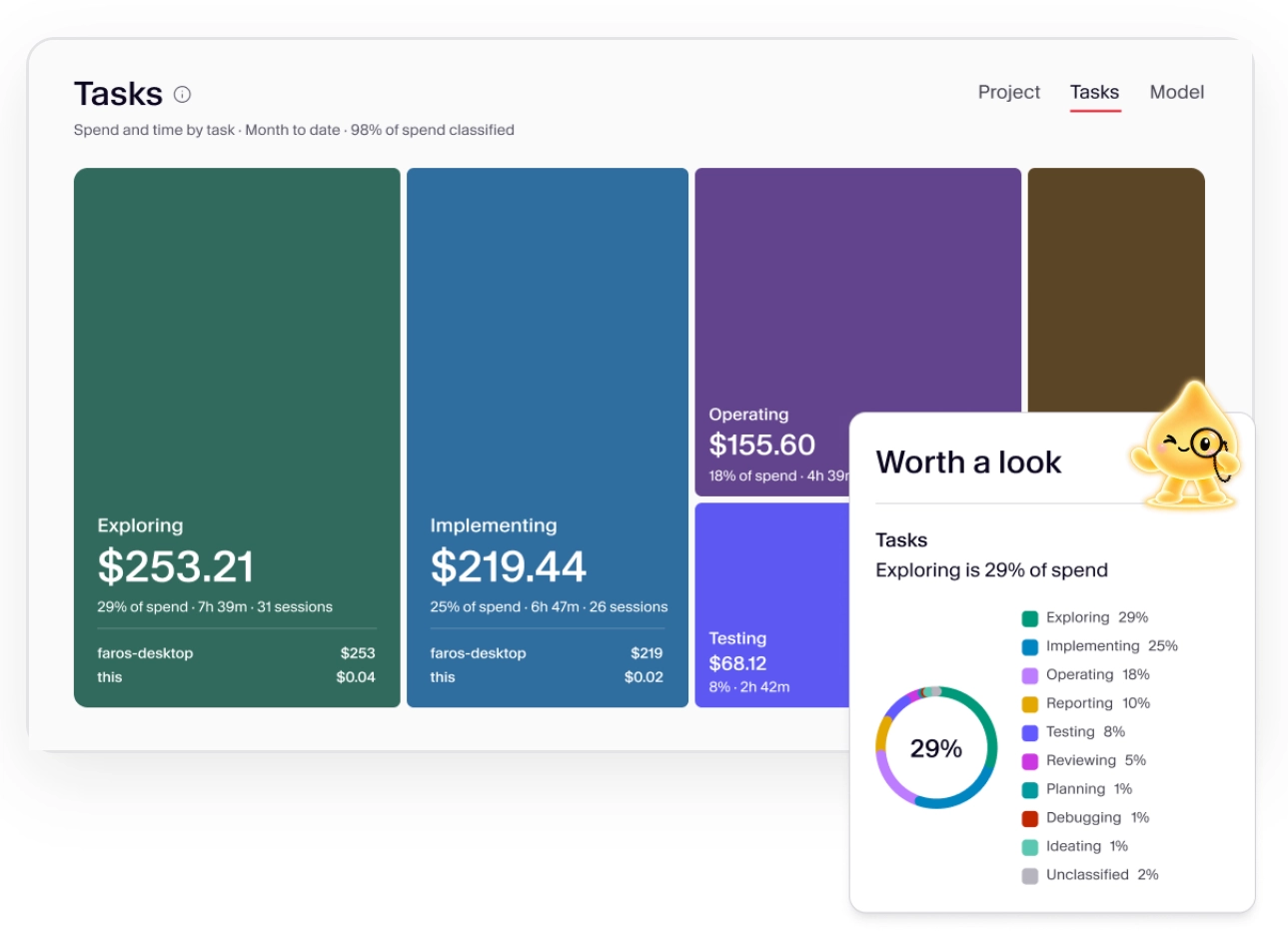
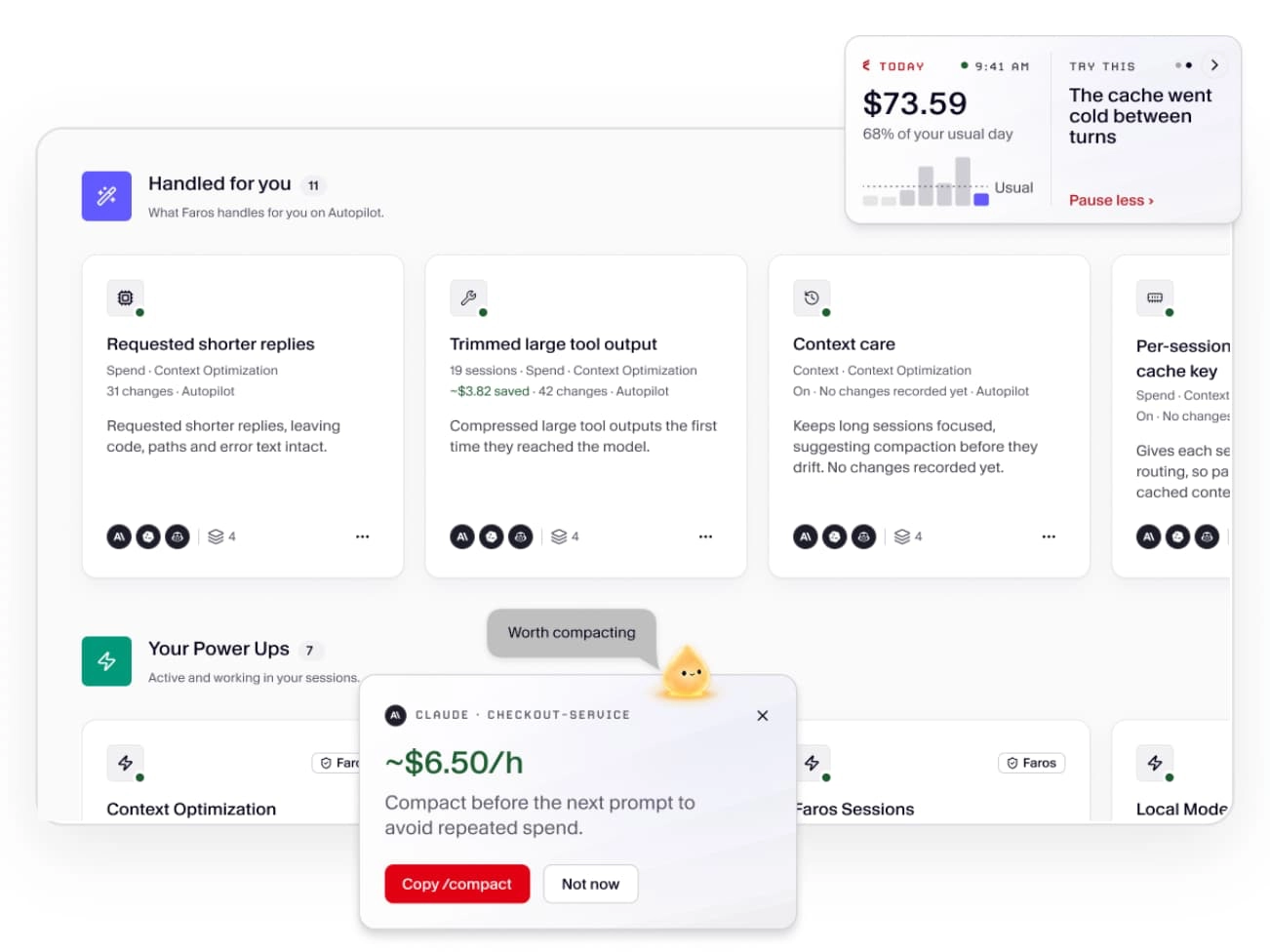
Get more usage from your AI budget without losing quality. Faros Desktop gives you up-to-date tracking of your daily AI usage by project, task, and model, so you can see your spend against your daily and monthly limits at a glance. Desktop also recommends Power Ups for eliminating token waste in your sessions, such as switching to a lighter model or lowering the reasoning level when a task doesn’t need it. For instance, if an overnight job costs $47 before stalling, Desktop might identify a more cost-effective model that accomplishes the same task for $11.
Desktop’s model routings continuously optimize your token usage, so your AI budget lasts longer, your token efficiency goes up, and you work without token limit interruptions. Apply recommended Power Ups yourself, or turn on Autopilot and let Desktop apply them for you without adding friction to your day
A note on the numbers: Desktop shows the API-equivalent list price for your usage, not your actual bill. If you’re on a subscription plan, you’ll see the discount you get compared with list API pricing, along with your actual token consumption and your usage against your plan limits.
Deliver better outcomes, faster
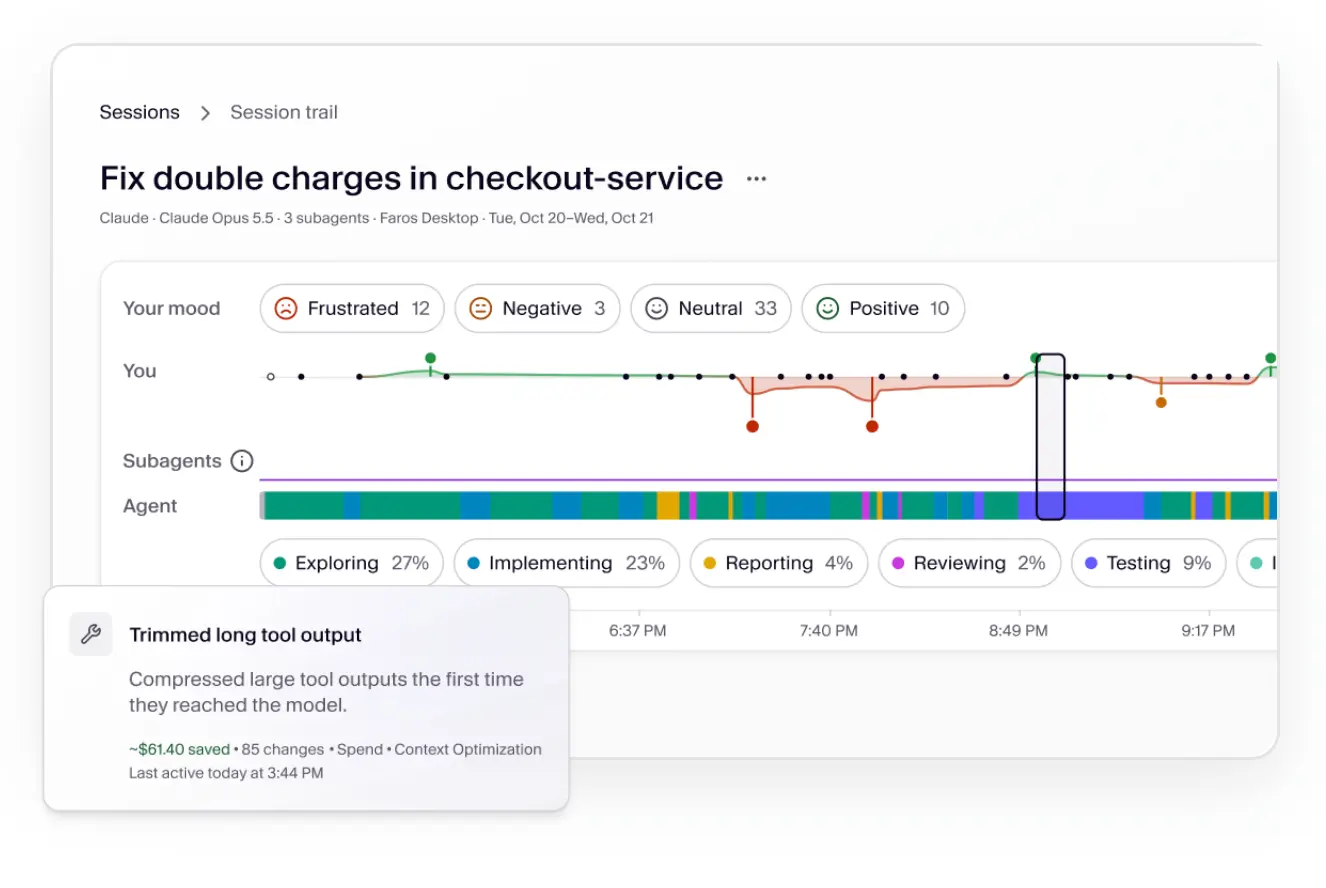
Reducing costs only matters if output quality stays high, so the Power Ups go beyond cost savings to include skills, tools, and rules that improve the quality of your AI output.
Desktop recommends curated Power Ups tailored to your specific activities—in effect, context engineering for your work—so you get better results, reduce rework, and complete tasks faster. Because the Faros AI productivity research teams continuously expand Power Ups, Desktop becomes more useful the longer you use it.
Manage all of your agents
Coordinate across different AI agents without disrupting your workflow.
Different agents have different strengths, limits, and available capacity at any given moment, and Faros Desktop acts as an agent-agnostic metaharness across them, so your agents work together instead of in silos. Move tasks to agents with more available capacity, so a limit in one tool doesn’t stop your progress. Route work to subagents with the right skills and thinking level, so you get higher-quality results by matching each task to the right model. And see work across all your agents from a single console, so you can work across different AI tools without friction.
Built for builders
We built Desktop for the people who use AI tools every day, and we designed it around a few principles.
- You’re in control. Desktop never changes settings or moves work without your permission. It offers recommendations, and changes happen only when you allow them or turn on Autopilot.
- Agent- and model-agnostic. Desktop works with the tools already on your machine, including Claude Code, Codex, Cursor, and Microsoft Copilot, with more on the way. It shows you the options, but you always make the call.
- Security first. Desktop reads session files on your machine and keeps them there. Prompts are never sent to Faros by default, in any mode. Your organization sees nothing about your AI usage unless you choose to connect Desktop to your company’s Faros account. If you do, you’ll see the exact fields that would be shared before anything is. Faros holds SOC 2 Type II and ISO 27001:2022 certifications. See the Faros Trust Center for the full data manifest, update policy, and certifications.
- Free, because we want every builder to have it. Organizations pay for the Faros Token Engineering Platform, which connects Desktops across teams for shared learning and policy.
Get started with Faros Desktop
Faros Desktop is available today for macOS and works with coding agents, with support for more tools coming. Download Desktop free at faros.ai/platform/desktop. Read the docs and join us on Discord for support and to share feedback with the team.