
How to charge back AI spend to engineering teams
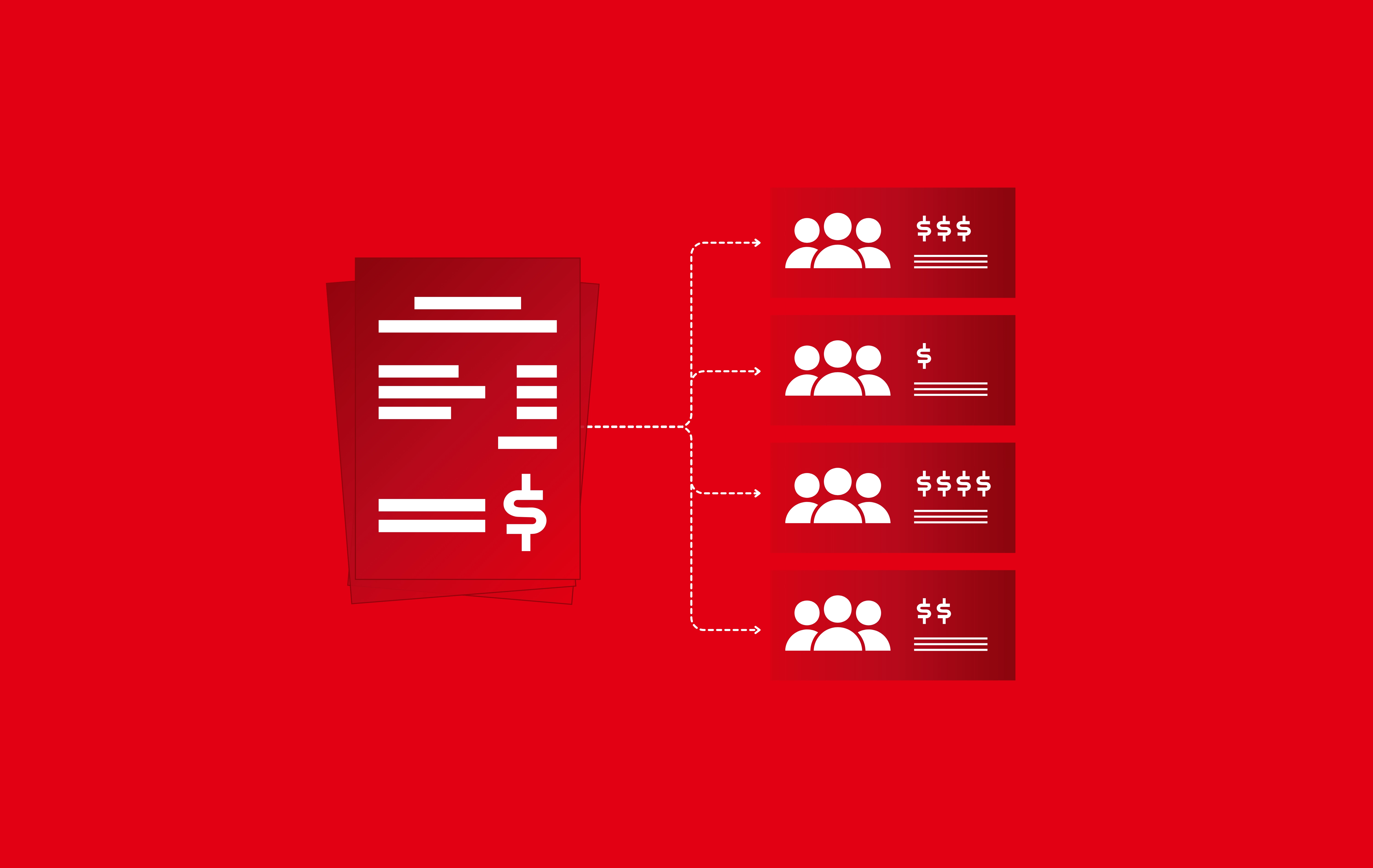
Your AI coding bill arrives with a total. Finance needs to know how much belongs in each engineering team’s budget. Before those costs move, team leaders need to know why they’re being charged.
That’s where a straightforward budgeting exercise gets complicated. An engineer on the platform team might use AI to work on repositories owned by three different teams. A shared agent might run jobs across several products. Assigning all that spend to the person’s home team—or the team managing the agent—can charge one budget for work that benefits another.
You can divide the bill by headcount, map usage to individual users, or keep paying from a central budget. But each approach leaves questions unanswered: Are teams paying for the work they own? Can they check the charges? Who is responsible when usage spikes?
AI chargebacks allocate AI costs to the teams responsible for them and charge those costs to their budgets. To make that work, finance and engineering need an allocation they can both explain and verify. Otherwise, every monthly bill risks becoming another negotiation over who should pay.
This guide explains where AI cost attribution breaks down, why those gaps matter, and what you need to establish before moving spend into team budgets.
AI chargeback vs. showback
Before assigning AI costs to team budgets, you can give teams a chance to review their share of the bill. This is called showback: each team sees the costs attributed to its work, while a central budget continues to pay.
Showback gives engineering leaders a chance to check the allocation. Does the usage belong to their team? Has work done for another team been assigned correctly? Can they trace an unexpected charge back to the activity behind it?
Chargeback takes that allocation a step further: the attributed costs are charged to each team’s budget. Starting with showback lets you resolve questions and establish trust in the numbers before they affect budgets.
Both approaches depend on the same foundation: accurately connecting AI usage to the team responsible for the work. With AI coding tools, that connection can be difficult to establish.
Why charging back AI spend is challenging
AI coding tools can tell you how much was used without giving you enough information to assign the cost to the right team. Four gaps make that allocation difficult.
A user’s team isn’t always the team responsible for the work
Provider reports may break down usage by user, API key, or project. Those are useful starting points, but they don’t necessarily identify which team should pay.
An engineer on the platform team might spend part of the month contributing to another team’s product. Assigning all of that engineer’s AI usage to the platform budget charges it for work done elsewhere. A user-to-team mapping can look complete while still allocating costs incorrectly.
Usage records and work ownership live in different systems
A usage record may include the model, token count, and cost without identifying the repository or task the usage supported. Even when it includes a repository, you still need to establish which team owns that work.
That ownership information typically lives in source control, ticketing, and team records. Connecting it to usage takes more than matching names: shared repositories, cross-team projects, and ownership changes can all complicate the allocation.
Agents make ownership harder to infer
An agent may run under a shared account, a service identity, or the credentials of whoever configured it. None of those necessarily identifies the team responsible for its work.
Charging all usage to the team that operates the agent can assign costs to the wrong budget. Leaving it unallocated creates a different problem: part of the bill remains centrally funded, outside the team-level view.
Each tool adds another reconciliation problem
An engineering organization may pay for AI through seat subscriptions, usage-based charges, or plans that combine both. Each tool can report those costs using different identities, categories, and billing periods.
Before allocating the total, someone has to reconcile those reports and decide how to handle shared subscriptions, included usage, and additional charges. Without consistent rules, teams can receive statements that are difficult to compare or verify.
These gaps matter even during showback. A team can’t validate its share of the bill if it can’t see why the costs belong to it. Moving those same numbers into budgets makes the unresolved questions more consequential.
What happens when AI costs can’t be allocated reliably
When teams can’t agree on how to split AI costs, the bill often stays in a central budget. That can support early experimentation, but as AI usage grows, someone still needs to explain what is driving the spend and who can manage it.
Budget owners carry costs they can’t control
The platform or IT team may pay the bill while engineering teams choose the tools, models, and agent workflows that generate it. When spending rises, the budget owner has to explain the increase without necessarily having the context or authority to address it.
Engineering teams lack the context to manage their usage
Without a reliable view of their costs, team leaders can’t tell which tools or workflows are driving their share of the bill. They have less information to forecast demand, investigate unexpected increases, or decide where to adjust usage.
Cost allocation alone won’t establish whether AI spending is delivering value. But it gives teams a starting point for evaluating the spending they’re responsible for.
Spending controls become harder to target
When the total bill is the only trusted number, broad limits become an easier response: cap usage, restrict models, or freeze access. Those controls can contain costs, but they may also interrupt useful work because they don’t distinguish between the activities driving the spend.
Reliable allocation gives finance and engineering a better basis for deciding where to investigate, where to reduce costs, and where additional spending may be justified. Whether the company ultimately uses showback or chargeback, it needs numbers that teams can trace and verify.
What accurate AI chargebacks require
An AI cost allocation solution needs to connect spend to the work behind it and give teams a breakdown they can verify. Four capabilities make that possible.
Session-level attribution
Team statements should be built from individual coding sessions. Each charge should trace back to the sessions that generated it, with the model used and its cost available for review.
Usage joined with engineering context
Attributing a session requires connecting usage with source control, ticketing, and team data. Repository and task ownership help establish which team’s budget the work belongs to, including when an engineer contributes across teams.
Attribution for human and agentic builders
Agent sessions need an ownership path, too. Repositories, tickets, and pull requests provide context for assigning autonomous work to the responsible team. Separating human and agentic consumption also supports independent forecasting as their usage patterns change.
One set of numbers for finance and engineering
Usage across tools should come together in per-team statements, with breakdowns by tool, model, repository, and workload. Finance needs a consistent basis for chargebacks; engineering needs enough detail to explain the charges. Both should work from the same numbers.
How Faros attributes AI token spend for chargebacks
Faros's AI cost allocation solution brings usage from your AI coding tools into one view and joins it with your source control, ticketing, and team data. That lets it attribute every session to the team that owns the work. It separates spend by human and agentic builders and attributes agent sessions through the repositories, tickets, and pull requests they work on, instead of leaving them unallocated.
The result is a per-team statement built from session-level attribution and broken down by tool, model, and repository. Finance and engineering work from the same breakdown, with no manual reconciliation of provider exports. You can run it as a showback first, then move to chargeback once your teams have validated the numbers.
Book a demo or contact sales to see how you can get started.
AI chargeback frequently asked questions
What is an AI chargeback?
An AI chargeback assigns AI costs to the teams responsible for them and charges those costs to their budgets. Depending on the organization’s policy, this can include subscriptions, token usage, and agent consumption. Shared costs need agreed allocation rules.
Should you start with showback or chargeback?
Start with showback so teams can review their attributed costs while a central budget continues to pay. Use that period to check ownership, investigate unexpected charges, and agree on shared-cost rules. Move to chargeback once finance and engineering trust the allocation and understand how exceptions will be handled.
Why is AI spend hard to charge back to engineering teams?
Provider reports may identify a user, account, or API key without identifying the team responsible for the work. Engineers contribute across teams, agents use shared identities, and tools report usage differently. Accurate allocation requires connecting those usage records with engineering context.
How are AI chargebacks different from cloud chargebacks?
Cloud cost allocation commonly relies on resource tags and account structures. AI coding costs also need to be connected to the work performed during coding sessions. Session-level attribution joins usage with repository, ticket, and team information to establish which team should pay.
How do you charge back AI agent spend?
Attribute agent sessions through the repositories, tickets, and pull requests they work on. Those records help identify the team responsible for the work, even when the agent runs under shared credentials. Where ownership remains unclear, keep the cost visible for investigation rather than assigning it without supporting evidence.
How can engineering teams verify their AI charges?
A team’s statement should show its attributed usage by tool, model, and repository, with supporting session-level detail. It should also explain any shared-cost allocations. That lets team leaders trace unexpected charges, check ownership, and raise specific questions before costs move into their budgets.